

Architecting Your Form
Introduction to Visual Logic

Hi there, it's Nevrie, the co-founder of WonderForm.
In this article, I want to guide you through the core of WonderForm: Visual Logic.
Traditional form builders treat your questions like a boring grocery list. We decided to do things differently. With our Tree Builder, you architect your form as a visual journey, making complex logic as easy as drawing on a whiteboard.
So let's get started!
1. Login
To start, you'll need to login to your WonderForm account. You can do so by clicking on the following link: Login.
2. Access the Tree Builder
Once you are in your dashboard, select WonderForm. You will be taken directly to the form tree builder, or you can access it directly here: Tree Builder.
If you don't already have a schema you can click Create to create a new one.
3. Adding Nodes (Fields)
In WonderForm, every question is a "Node" in your tree. To add a new question, simply click the Add Field button. You have a massive library of 18+ field types to choose from, including:
- Standard: Short & Long Text, Email, Phone Number, Website URL.
- Interactions: Star & Emoji Ratings, Slider & Stepper Ranges.
- Data: Date, Time, Address, and even a Location in Map selector.
- Choice: Single and Multiple Choice.
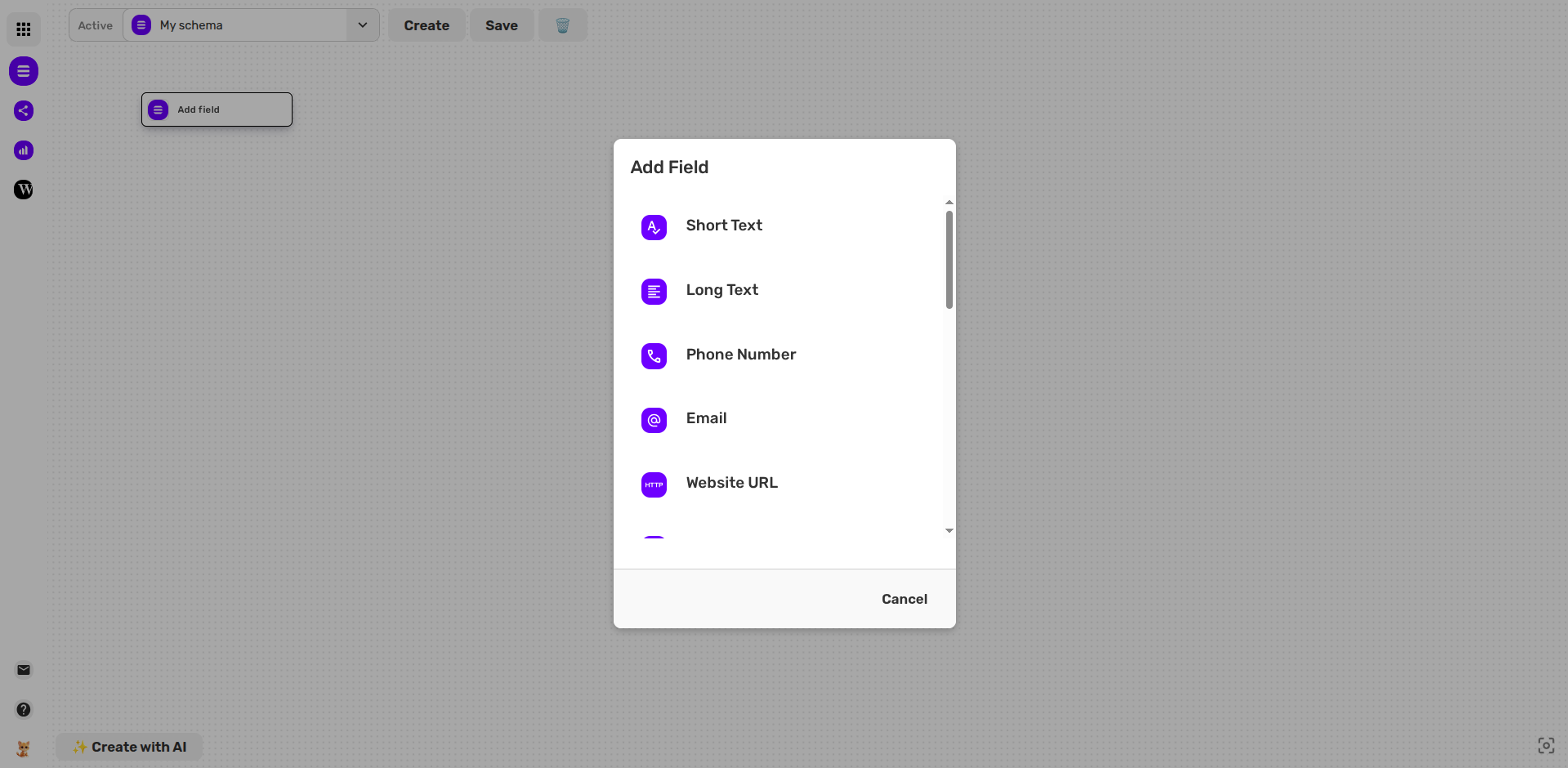
Each field comes with its own individual settings, allowing you to set placeholders, context keys, and requirements.
4. Mapping the Logic
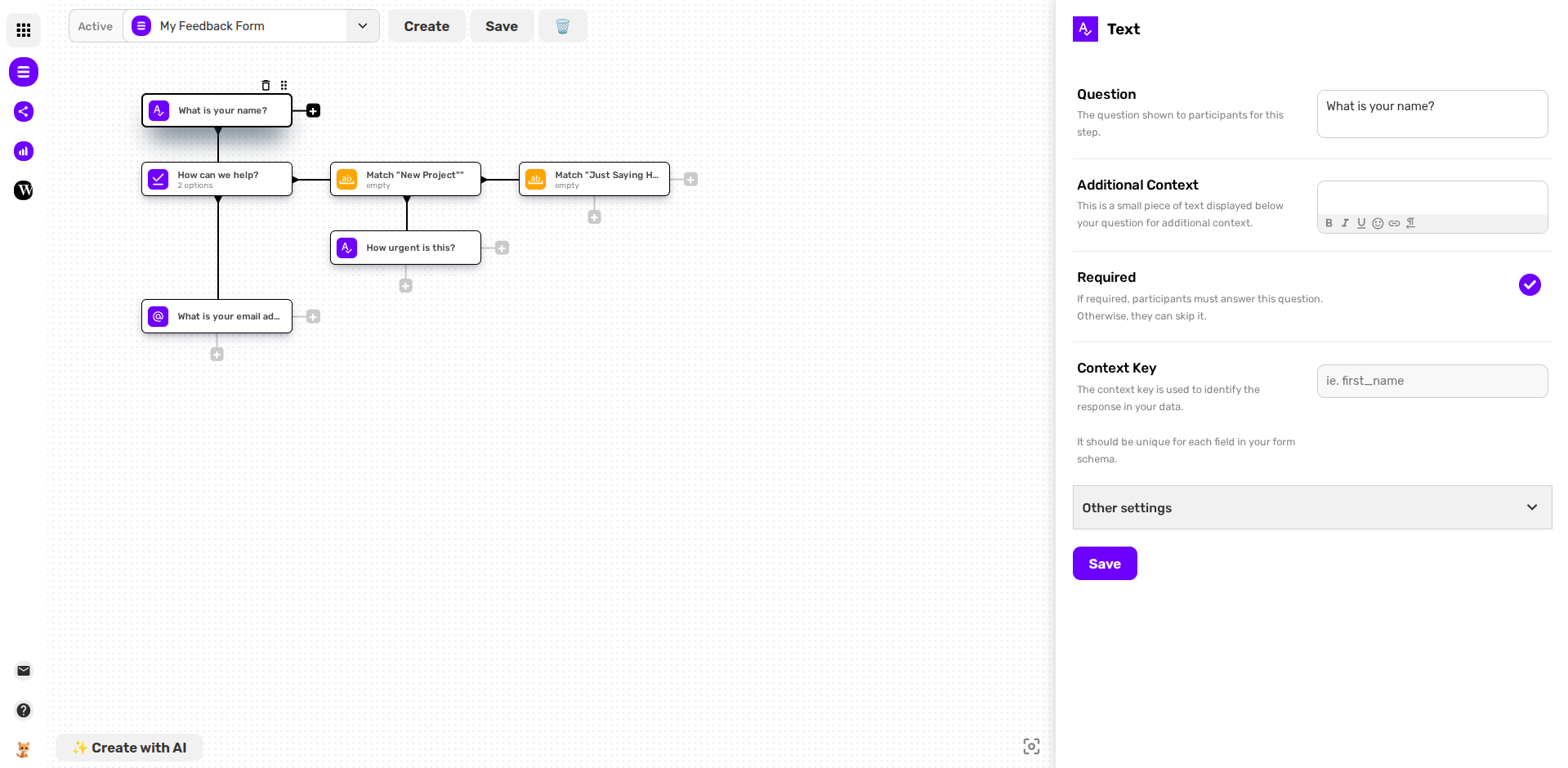
The real power of Visual Logic is in the connections. Instead of hidden "If/Then" menus, you see the path:
- Connecting Nodes: Click the plus icon at the bottom to add a question, or on the right to add a condition.
- Adding Conditions: You can create branching paths based on user answers. For example, if a user selects "New Project," you can branch them to a specific set of follow-up questions that "Match" that choice.
- The Bird's Eye View: At any time, you can zoom out to see the entire architecture of your form, ensuring there are no dead ends in your user's journey.
5. Build with AI
If you're feeling a bit stuck, you can use our Create with AI feature. Just enter a short prompt describing what you need, and WonderForm will architect the entire tree nodes, logic, and all automatically.
That's it!
You are no longer just building a form; you are architecting a conversation.
Grab your mouse and start mapping! 🌳