

Sharing & Distribution
Direct Sharing & QR Codes

Hi there, it's Nevrie, the co-founder of WonderForm.
Once you’ve architected your logic and perfected your design, it’s time to get your form in front of your audience. Whether you need a quick link for a social media bio or a high-resolution QR code for physical marketing materials, we’ve made the distribution process instant and effortless.
So let's get started!
1. Login
To start, you'll need to login to your WonderForm account. You can do so by clicking on the following link: Login.
2. Access Share Options
Select your form from the dashboard and look at the sidebar. Under the SHARE category, you will find two primary options: Get Link and Get QR Code.
3. Generating and Sharing Links
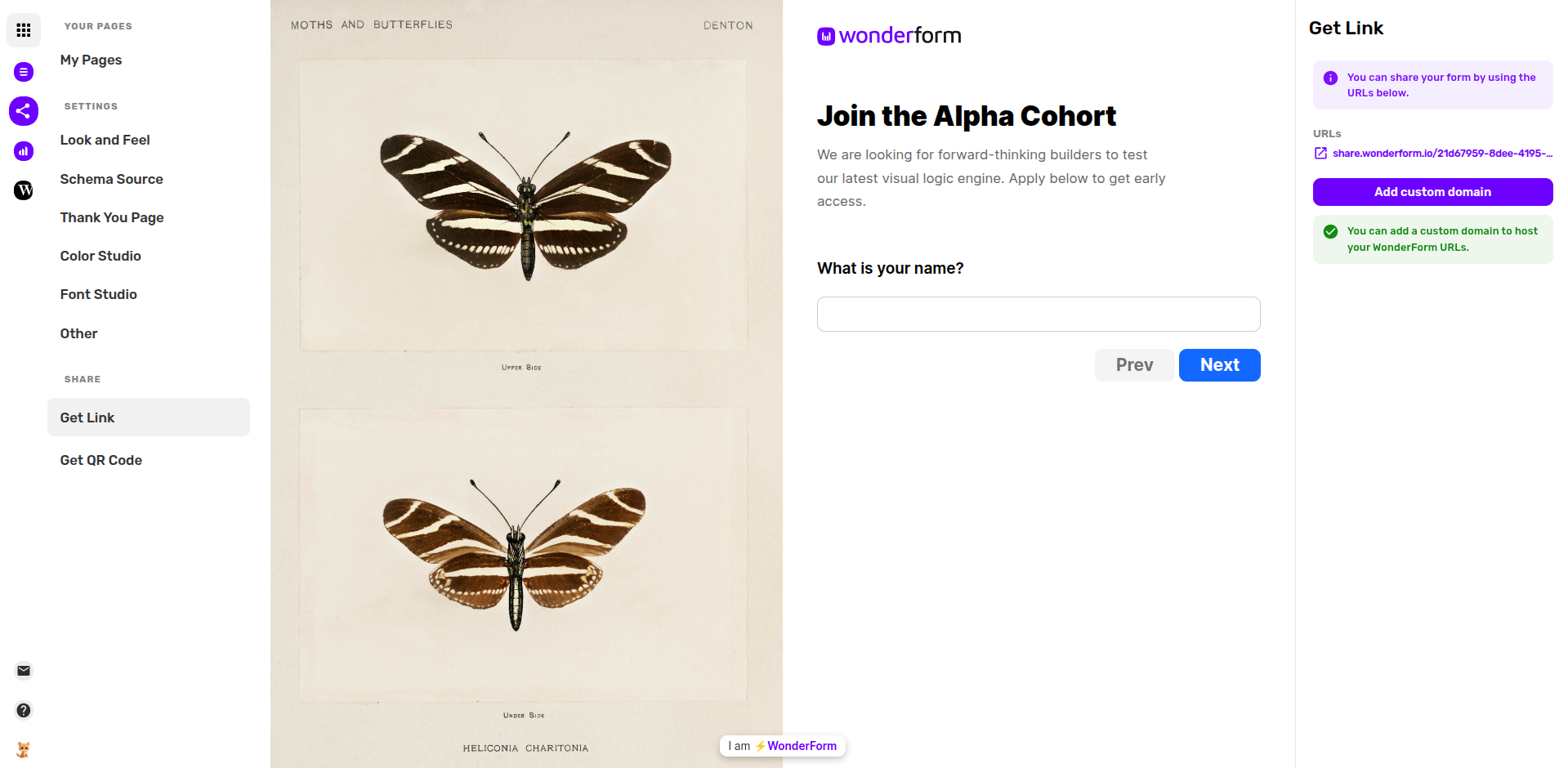
Clicking on Get Link will provide you with the direct URL for your form.
- Your URL: By default, your form is hosted on a share.wonderform.io address. You can copy this link and send it via email, embed it in a button, or post it on social media.
- Whitelabel Options: If you want a more professional look, you can click the Add custom domain button. This allows you to host the form on your own domain (e.g., forms.yourbrand.com), completely removing the WonderForm name from the URL.
4. Generating QR Codes
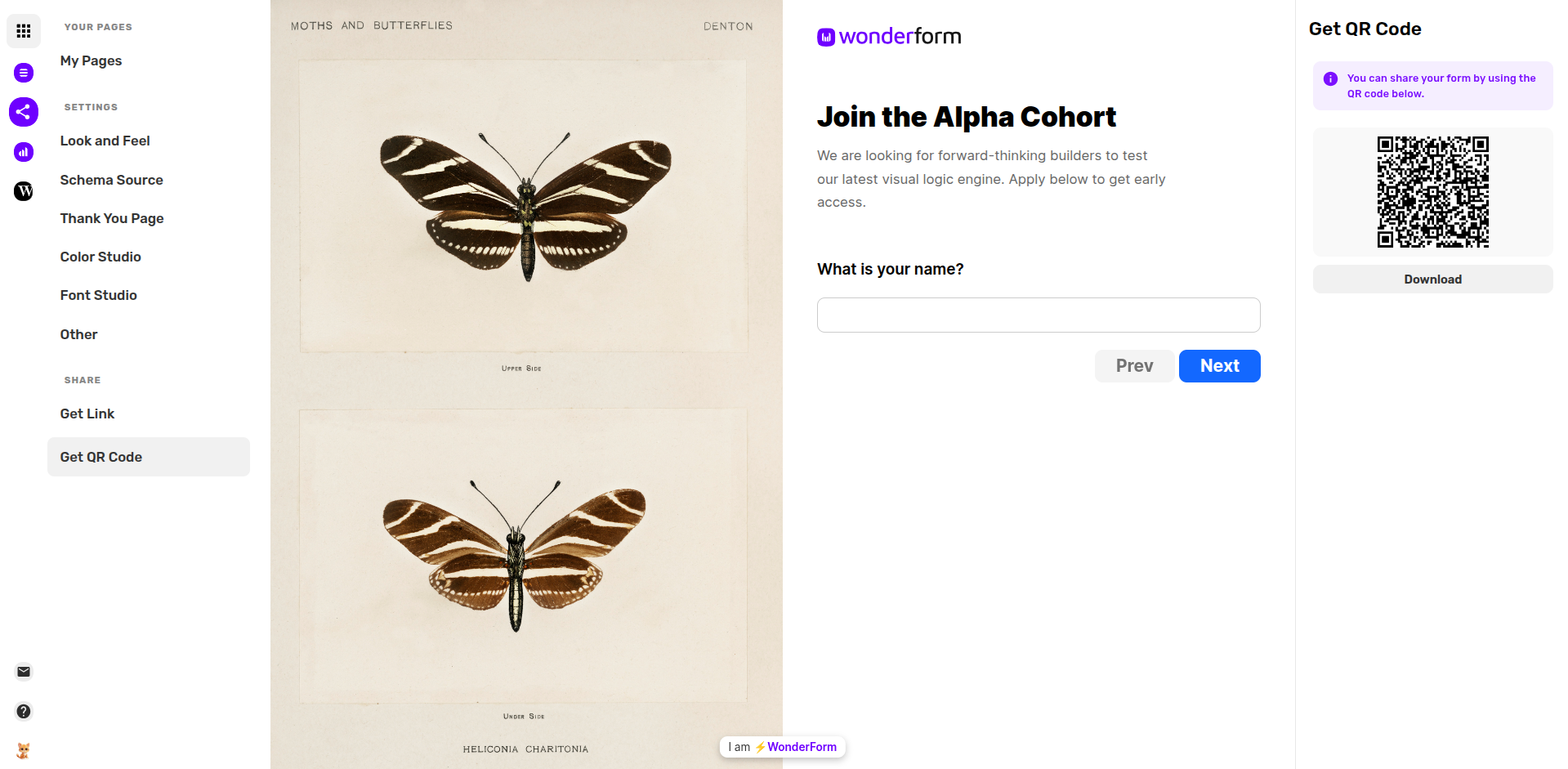
If you are using your form for print materials like flyers, business cards, or event posters, click on Get QR Code.
- Instant Generation: WonderForm automatically generates a unique QR code tied to your form's URL.
- Download: Click the Download button to save the QR code image to your device. You can then drop this into any design software for your physical marketing needs.
5. Instant Updates
The best part about direct sharing is that your form is "live." Any changes you make to the architecture in the Tree Builder or the design in the Look and Feel studio will be updated instantly on your URL and QR code. You never have to re-share a link or re-print a code!
That's it!
Your form is ready for the world. Choose your preferred method and start collecting insights! 🚀